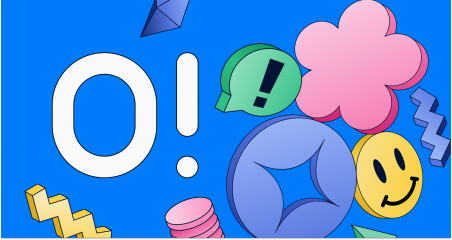
Building Coherent Brand Systems WithOff-the-Shelf Graphics: A Review of Icons8Ouch
The standard approach to product design dictates that true brand coherence requires a
dedicated, in-house illustrator. Startups and agencies often assume that relying on pre-made
Asset libraries lead to a disjointed, generic visual identity. This raises a vital question for
design teams operating on tight budgets. Can off-the-shelf libraries support a unified brand
system, or do you always need fully custom artwork?
After using Ouch by Icons8 across multiple production environments, the answer leans
heavily toward the former, provided you understand how to navigate and manipulate the
platform. Ouch is a massive library of vector, 3D, and animated assets built specifically to
solve the problem of dull app screens and generic landing pages. By focusing strictly on
consistent UX coverage rather than random, isolated images, the platform provides a viable
alternative to commissioning custom artwork from scratch.
Designing a Complete Application Flow
To understand how Ouch functions in a real project, consider the workflow of a UI designer
tasked with overhauling a financial technology application. The app requires visual assets
for every step of the user journey, including onboarding screens, empty states, error
messages, and a checkout flow.
Instead of searching for individual concepts, the designer starts by filtering the Ouch library
to a single visual system. They select a minimal monochrome style from the 101 available
options. Because Ouch builds its styles to cover entire user experience flows, the designer
easily locates pre-made scenes for a 404 error page, an empty shopping cart, and a
successful login screen.
Operating on a Pro plan, the designer downloads these scenes as SVG files. This is a critical
step for brand coherence. By importing the SVGs into their design software, they select all
the accent elements and recolor them to match the exact primary blue of the application’s
brand guidelines. They scale the vectors to fit the specific dimensions of their mobile
artboards. The final result is a seamless, professional interface. The end user experiences a
visual language that feels entirely bespoke, completely unaware that the foundational
graphics came from a stock library.
Constructing Custom Marketing Assets
A different use case emerges when a content manager needs to build a series of landing
pages and matching email campaigns. Text-heavy articles require visual breaks to maintain
reader engagement, and newsletters need compelling hero images.
Rather than settling for pre-made scenes that only partially fit their narrative, the content
manager leverages the searchable objects feature within Ouch. The platform does not just
offer flattened scenes. It provides layered vector graphics broken down into tagged,
searchable components.
The manager opens Mega Creator, the free online editor integrated with Ouch. They start
with a blank canvas and pull in an isolated character from the Business category. Finding the
right illustration for a specific niche often requires tweaking, so they use the editor to swap
out the character’s accessories. Next, they search the Objects category and drag a detailed
desk setup into the composition. They rearrange the elements, adjust the scaling, and build
a custom scene that perfectly illustrates the specific topic of their blog post. Once finished,
they export the high-resolution PNG for the landing page and generate a matching cropped
version for the email header. The campaign maintains a strict visual consistency without
requiring a single hour of custom illustration time.
A Typical Workday Workflow
To see how this tool integrates into daily routines, look at a standard morning for a
front-end developer named Linus. He is building a new loading screen for a web application
and needs an engaging visual to keep users patient during data fetches.
Linus skips the browser entirely and opens the Pichon desktop app on his machine. Pichon
syncs the entire Ouch library locally. He selects the animated category and filters for the
specific brand style his team established last month. He spots a looping animation of a
server rack processing data. He grabs the Lottie JSON file and drags it directly from Pichon
into his code editor workspace. Knowing he needs a fallback state for older browsers, he
drags the static PNG version of the exact same graphic into his asset folder. The entire
process takes less than three minutes, allowing him to immediately return to writing logic.
Comparing Ouch to the Competition
Evaluating Ouch requires looking at the alternatives UI specialists and marketers typically
use.
unDraw is a popular choice for developers needing quick, free SVGs. It excels at speed and
simple recoloring. It falls short in variety. unDraw offers a single, distinct style. If your brand
does not fit that specific aesthetic, the tool is useless. Ouch provides over a hundred distinct
styles, ranging from surrealism to sketchy looks, alongside 44 distinct 3D styles.
Freepik offers millions of vector assets, but it suffers from massive style inconsistency.
Finding five scenes by the same artist that share the exact same line weight and shading
technique takes hours of digging. Ouch categorizes its assets strictly by style, eliminating the
Frankenstein effect of mismatched graphics.
Blush is excellent for customizing specific artist styles directly in design tools. Ouch
competes well here by offering a much wider array of file formats. While Blush focuses on
flat vectors, Ouch provides animated assets in Lottie JSON, Rive, After Effects projects, GIF,
and MOV formats, plus FBX files for 3D models crafted by 3D professionals.
Limitations and when this tool is not the best choice
Ouch is not a universal solution for every design requirement. If your company requires a
100 percent unique, trademarkable brand mascot that no competitor can legally utilize, you
must hire a custom illustrator. Ouch assets are available to anyone with an internet
connection. You will eventually see the same minimal monochrome character you used on
your homepage appear on a completely unrelated company’s blog.
The free tier is also highly restrictive for professional client work. Free users are limited to
PNG formats and must include a visible link back to Icons8. Placing attribution links on a
client’s checkout screen or a printed marketing brochure is rarely acceptable. If you lack the
budget for a paid plan to unlock SVGs and remove the attribution requirement, Ouch
becomes a difficult tool to justify for commercial client projects.
Finally, users looking to create merchandise or print-on-demand products cannot simply use
the standard Pro plan. You must contact their sales team to negotiate a custom licensing
agreement, adding a layer of friction for e-commerce entrepreneurs.
Practical Tips for Working With Ouch
To get the most out of the platform, you need to integrate it intelligently into your existing
systems.
● Commit to a single style: The fastest way to ruin your brand coherence is to mix a
colorfully bold scene on your homepage with simple line graphics in your app. Pick one
of the 101 styles and stick to it across your entire ecosystem.
● Utilize the rollover feature: The paid plans allow unused downloads to roll over to the
next billing period. Group your asset gathering into concentrated sprints to maximize
your download credits.
● Leverage the desktop application: The Pichon app dramatically speeds up workflows
by keeping assets offline and enabling direct drag-and-drop functionality into your
design canvas.
● Modify the base vectors: Never use the default colors if you have a Pro plan. Always
download the SVG and adjust the fills and strokes to match your specific brand palette.
This small step is what transforms a stock graphic into a cohesive brand asset.










Post Comment