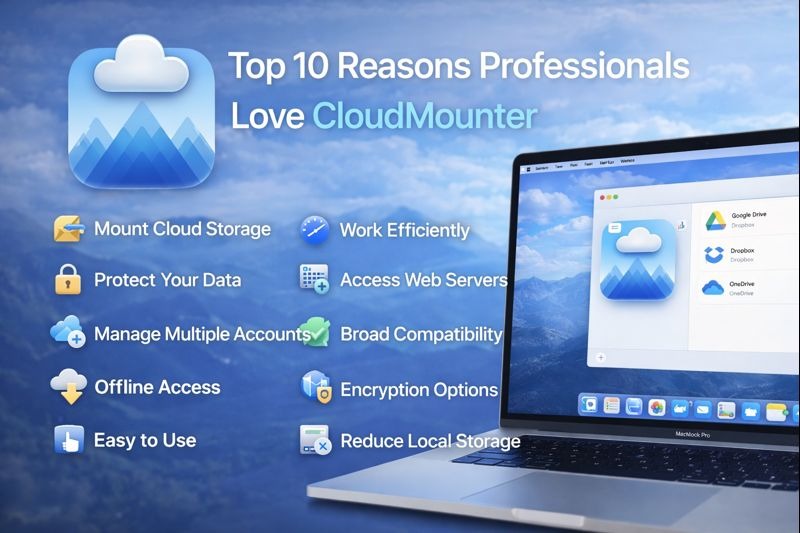
Top 10 Reasons Professionals Love CloudMounter
Cloud storage is part of daily work for many professionals. Files are stored online, shared with teams, and accessed from different devices. Managing all these cloud services can become confusing and time-consuming. This is where CloudMounter helps.
CloudMounter makes cloud storage easy to use by letting professionals access online files like they are stored on their own computer. Below are the main reasons why many professionals trust and use CloudMounter in their daily work.
What Is CloudMounter?
CloudMounter is a cloud management tool that connects online storage and remote servers directly to your computer. Instead of opening many browser tabs or apps, users can access cloud files from one place.
It works by mounting cloud storage as a local drive. This means files appear just like normal folders on your system. You can open, edit, copy, or move files without downloading everything first.
Reason 1: Unified Access to Multiple Cloud Services
Professionals often use more than one cloud account for work. Managing each account separately can slow down work and cause mistakes.
CloudMounter allows users to connect multiple cloud services in one interface. All files are visible in one place, making it easier to switch between projects and accounts. This saves time and keeps work organized.
Reason 2: Mounts Cloud Storage as Local Drives
One of the strongest reasons professionals like CloudMounter is how it shows cloud storage as a local drive. Files feel like they are already on the computer.
Users can open files directly from the cloud without manual downloads. This makes daily tasks faster, especially when working with documents, images, or project folders.
Reason 3: No Need for Local Storage Sync
Many cloud tools require syncing files to local storage, which can fill up disk space quickly. This becomes a problem for users with large files or limited storage.
CloudMounter works without syncing. Files stay online and are accessed only when needed. This keeps local storage free and the system clean.
Professionals who want to manage cloud files easily often choose CloudMounter, which is available here: https://apps.apple.com/us/app/cloudmounter-cloud-manager/id1130254674
Reason 4: Advanced Security and Encryption
Security is very important when working with sensitive data. Professionals need to make sure files are protected from unauthorized access.
CloudMounter uses strong encryption to protect data during transfer. This means files stay secure while moving between your computer and the cloud. Users can work confidently knowing their information is safe.
Reason 5: Support for FTP, SFTP, and WebDAV
Many professionals also work with remote servers, not just cloud storage. Managing server files often requires separate tools.
CloudMounter supports FTP, SFTP, and WebDAV connections in the same interface. This allows users to manage server files just like cloud files, reducing the need for extra software and simplifying daily tasks.
Reason 6: Efficient Workflow for Large Files
Large files like videos, backups, or design files can slow down work if handled poorly. Downloading and uploading these files repeatedly wastes time.
CloudMounter lets users work directly with large files without full downloads. Files open when needed, which helps maintain a smooth workflow. This is especially helpful for professionals dealing with heavy data every day.
Reason 7: Multi-Account and Multi-Cloud Management
Professionals often use different accounts for personal work, clients, or teams. Switching between logins can interrupt focus.
CloudMounter allows multiple accounts to be connected at the same time. Users can move files between accounts easily and manage everything from one place. This makes multitasking simpler and faster.
Reason 8: Seamless Integration with File Managers
Learning new software can slow down beginners and professionals alike. Tools that work with familiar systems are easier to adopt.
CloudMounter integrates smoothly with the system’s file manager. Users can use common actions like drag and drop, copy, and rename files. No special learning is required, which saves time.
Reason 9: Cross-Platform Compatibility
Professionals do not always work on one device. Some use multiple systems depending on their tasks.
CloudMounter is designed to work across platforms, allowing users to access cloud storage from different environments. This flexibility helps maintain consistent work habits, even when switching devices.
Reason 10: Reliable Performance and Stability
Unstable tools can interrupt work and cause data issues. Professionals need software they can trust every day.
CloudMounter is known for stable performance. Connections remain steady, and file access is smooth. This reliability makes it suitable for daily professional use without constant troubleshooting.
Who CloudMounter Is Best For
CloudMounter is useful for many types of users, especially those who rely on cloud storage regularly.
Creative Professionals
Designers, video editors, and content creators often work with large files. CloudMounter lets them access and manage files without filling up local storage. This keeps their systems fast and organized.
Developers and IT Teams
Developers and IT professionals frequently manage remote servers and cloud resources. With support for server connections and cloud storage in one place, CloudMounter simplifies their workflow and reduces tool switching.
Business and Enterprise Users
Businesses handle documents, reports, and shared files daily. CloudMounter helps teams manage multiple accounts securely and efficiently. It supports smooth collaboration without complicated setups.
Conclusion
CloudMounter is a practical tool for professionals who want simple and secure access to cloud storage and remote servers. It removes the need for syncing, saves local storage, and keeps files easy to manage.
With strong security, stable performance, and an easy interface, CloudMounter fits well into professional workflows. For beginners and experienced users alike, it offers a clear and reliable way to manage cloud files without confusion.













Post Comment